
Product overview
What is Intlayer?
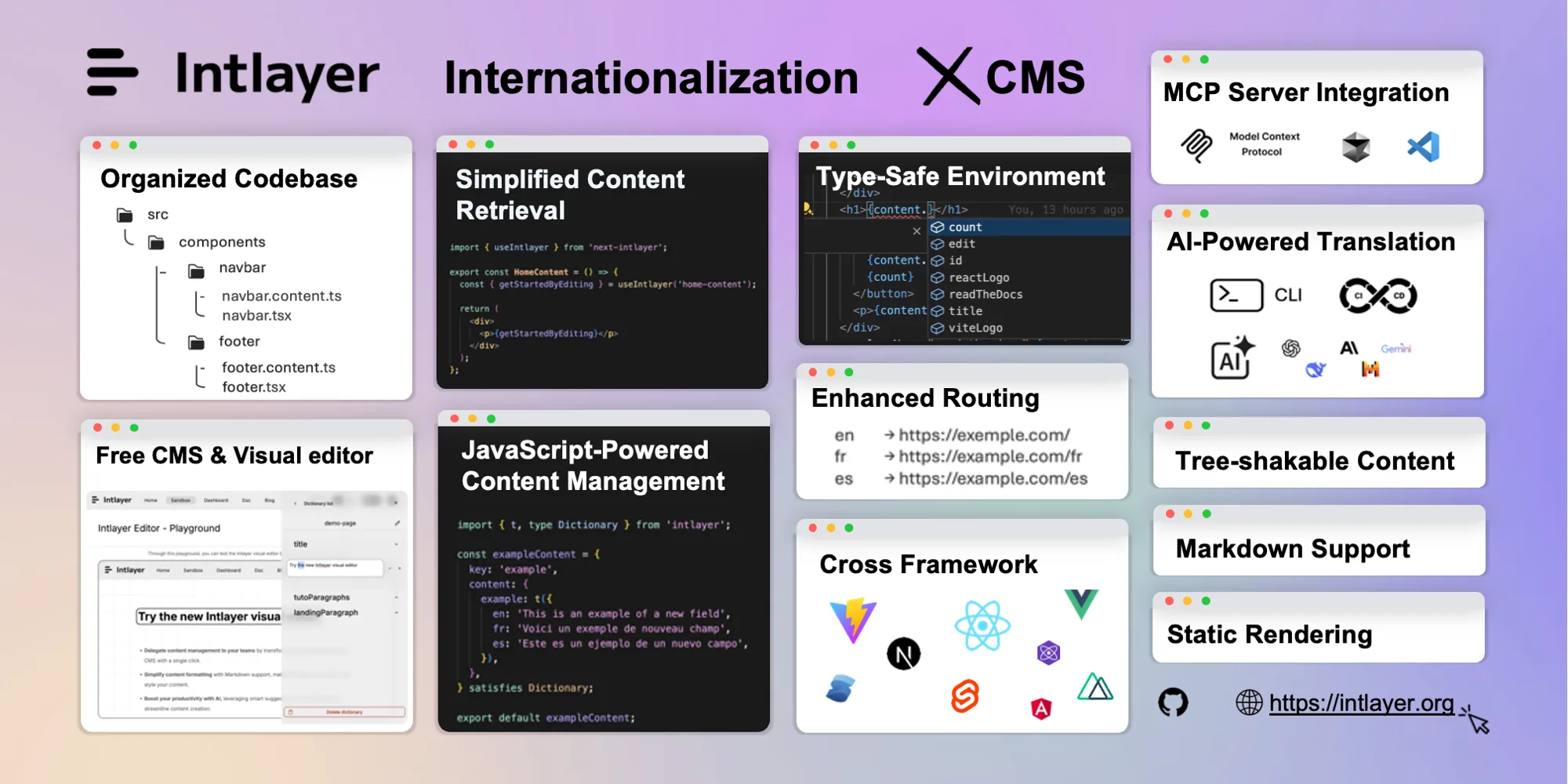
Intlayer is an internationalization and multilingual content toolkit for modern JavaScript applications. Developers can declare translated content next to components in TypeScript or JavaScript, generate types for autocomplete and missing-key detection, and deliver locale-aware content through supported frameworks.
The toolkit also includes an AI-capable CLI for auditing, filling, and translating JSON or Markdown, an optional visual editor for non-developers, a translation management system, and a headless CMS for remote dictionaries and live content updates. It supports React, Next.js, TanStack Start, Vue, Nuxt, Svelte, Express, NestJS, Preact, and other environments.
How to Use Intlayer
- Initialize Intlayer in the application and configure supported locales.
- Declare dictionaries alongside the components or wrap an existing i18n solution.
- Run the compiler to extract content, generate dictionaries, and create TypeScript types.
- Use the CLI to test for missing content and optionally generate translations with an approved AI provider.
- Connect the visual editor or CMS when editors need to update content outside the code editor.
- Review every locale in context, test routing and SEO metadata, then deploy through the normal CI process.
Core Features
- Per-component dictionaries: Keeps content definitions close to the code that renders them.
- Type-safe translations: Generates types for autocomplete, validation, and missing declaration detection.
- AI translation CLI: Audits and fills JSON or Markdown using configured cloud or local models.
- Visual editor: Lets content teams edit and translate text without changing source code directly.
- Translation management: Coordinates multilingual content and team collaboration.
- Headless CMS: Synchronizes local dictionaries with remote content and live updates.
- Framework integrations: Supports major React, Vue, Svelte, server, and meta-framework stacks.
- Compatibility layer: Can wrap existing solutions such as i18next, next-intl, and vue-i18next.
Use Cases
- Add type-safe multilingual content to a new web application.
- Incrementally add AI-assisted translation to an existing i18n stack.
- Let editors manage interface content through a visual editor.
- Audit missing translations in CI and keep locale files aligned.
- Manage remote multilingual content, feature flags, and localized SEO fields.
Pricing
Intlayer's core packages are free and open source. Its hosted CMS currently has a Free plan with two projects, two organization users, 100 MB of storage, visual editing, and remote dictionaries. Premium is listed at $29 per month and Enterprise at $57.42 per month; self-hosting is also available.
Frequently Asked Questions
Does AI translation remove the need for human review?
No. Product terminology, tone, legal text, cultural context, placeholders, and layout still require native-language and in-context review.
Must an existing app replace its i18n library?
No. Intlayer can wrap supported existing solutions, allowing gradual adoption.
Is all content sent to an AI provider?
Only when AI features are configured and used. Teams should review provider settings, secrets, retention terms, and sensitive content before translation.